
Your Guide to Pronto

Residents and businesses can fill out their building permit application online, and digitally attach and submit plans and drawings, eliminating the requirement for multiple in-person visits and allowing for a faster and more convenient service.
Pronto also allows applicants to track their permit application from beginning to end. If more information is required, the applicant will receive an email or follow-up phone call to ensure an efficient and timely application process.
Pronto includes online services, such as:
- Submitting a building permit application online;
- Uploading building permit documents, such as drawings, plot plans and supplementary documents;
- Viewing details related to the processing status of building permit applications;
- Viewing application fees;
- Viewing inspections and related details associated with an application.
To get started:
- Review the available record types in Pronto related to the proposed construction.
- Navigate to the Pronto homepage, using the latest version of Google Chrome, Microsoft Edge, or Firefox,
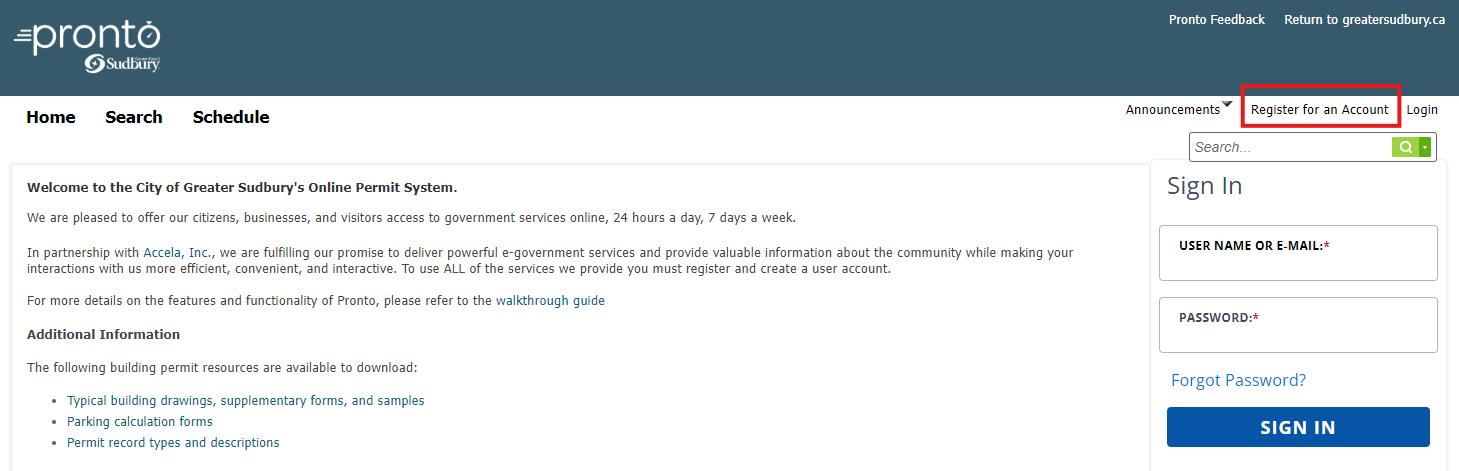
- Select Register for an Account in the top right corner of the page.
- Follow the on-screen instructions to register an account.
Once registered:
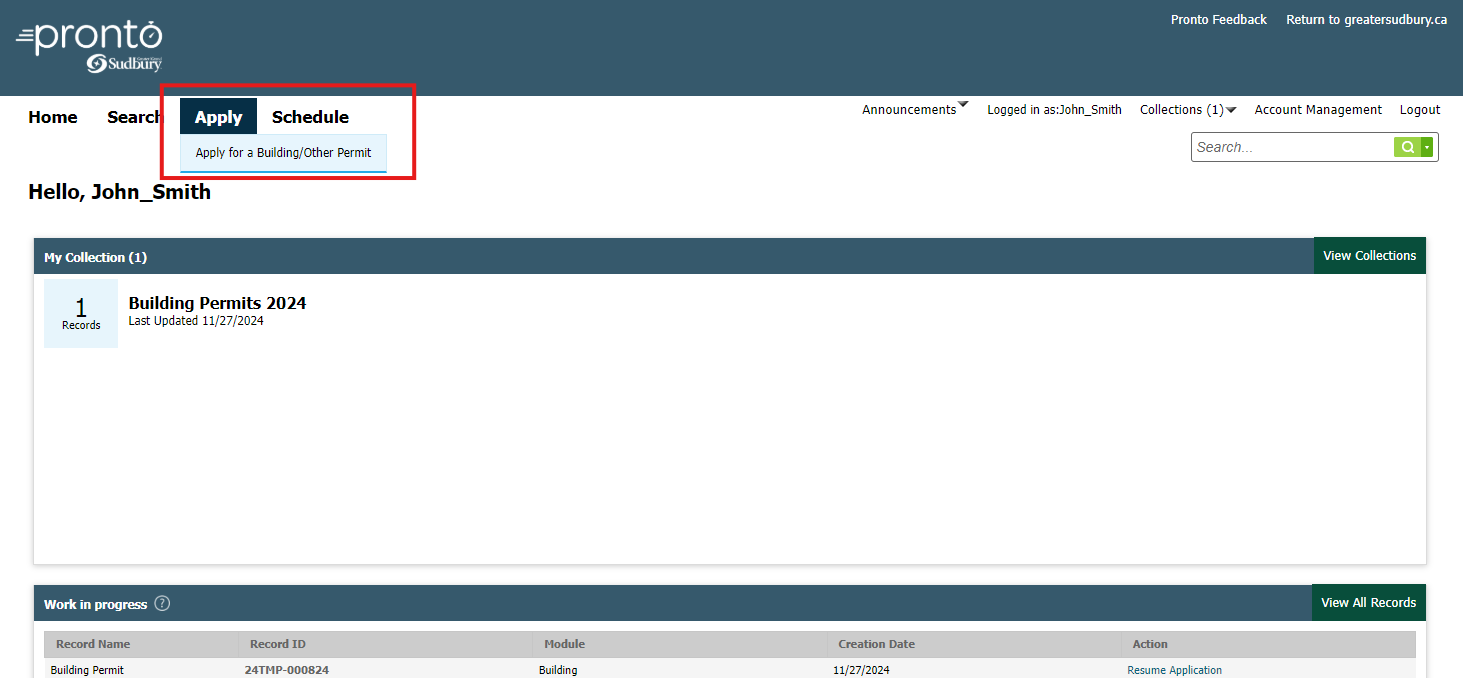
- Navigate to Pronto and sign-in using your newly registered account.
- Select the Apply tab in the top menu bar to get started on an application.
If you are interested in learning about additional features and capabilities of Pronto, please refer to the detailed work instructions below.
What you'll need for your PRONTO submissions
 Checklists
 Application Forms
 Typical Building Drawings
 Supplementary Forms
 Sample Documents